 to-do-morrow
Get the app
to-do-morrow
Do it today. Or to-do-morrow.
A day planner for iPhone where unfinished tasks don't turn red. They just wait for tomorrow.

Type it the way you'd say it.
Dates, times, projects and priority come out of plain words, in English, Slovak and Russian. Siri, Shortcuts, the Action button and the share sheet work too.
Today
0 done · 3 to go
0 XP
Habits today
Day cleared. Nothing left for to‑do‑morrow.
Try friday at 9, #home or !!, then press Enter. Tick tasks and habits to earn XP and clear the day.
One day in it.
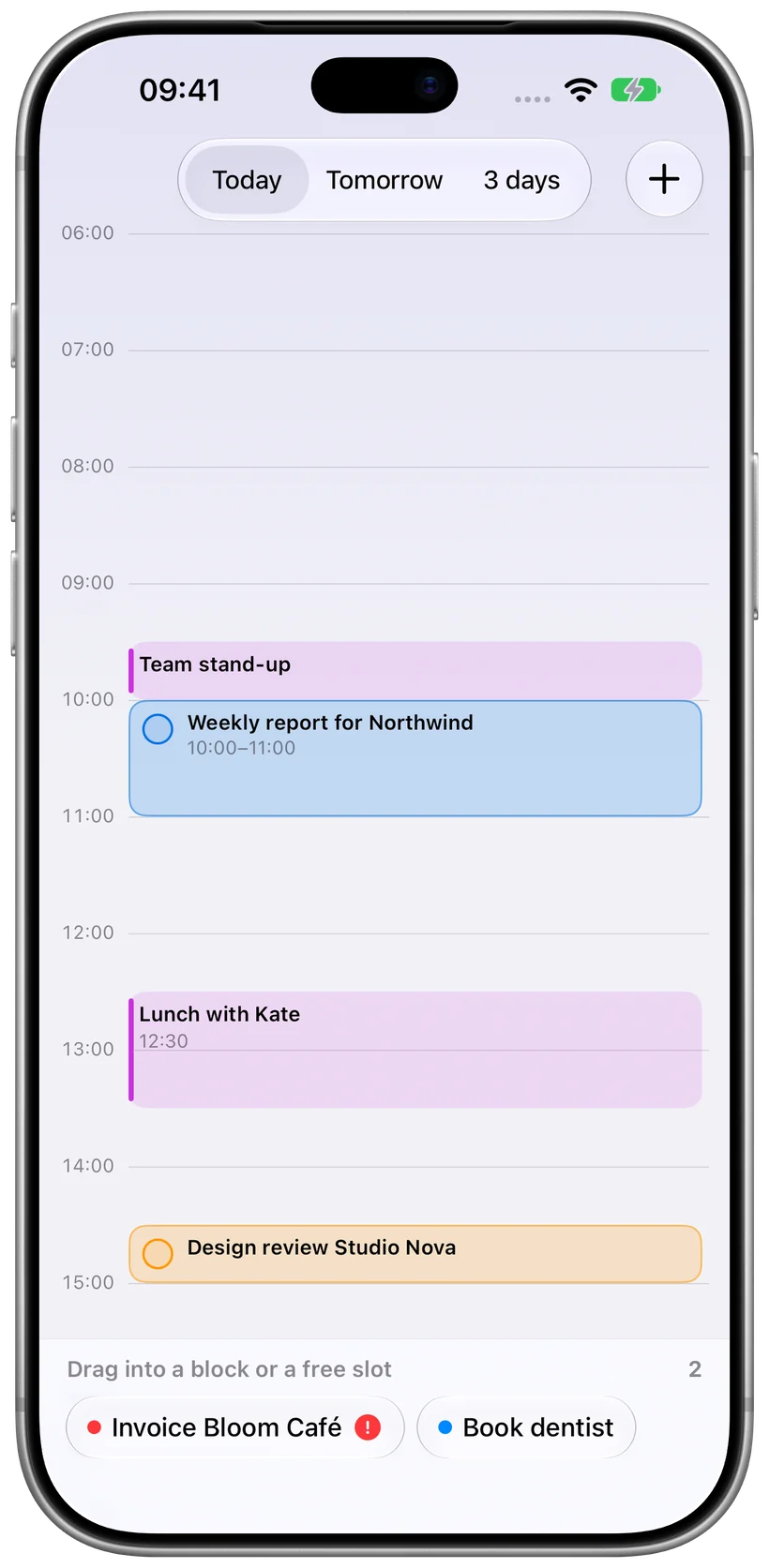
Plan the day in blocks.
Deep work in the morning, calls after lunch. Routines repeat on the weekdays you pick, tasks drop into blocks, and you get a nudge when a block starts and ends.
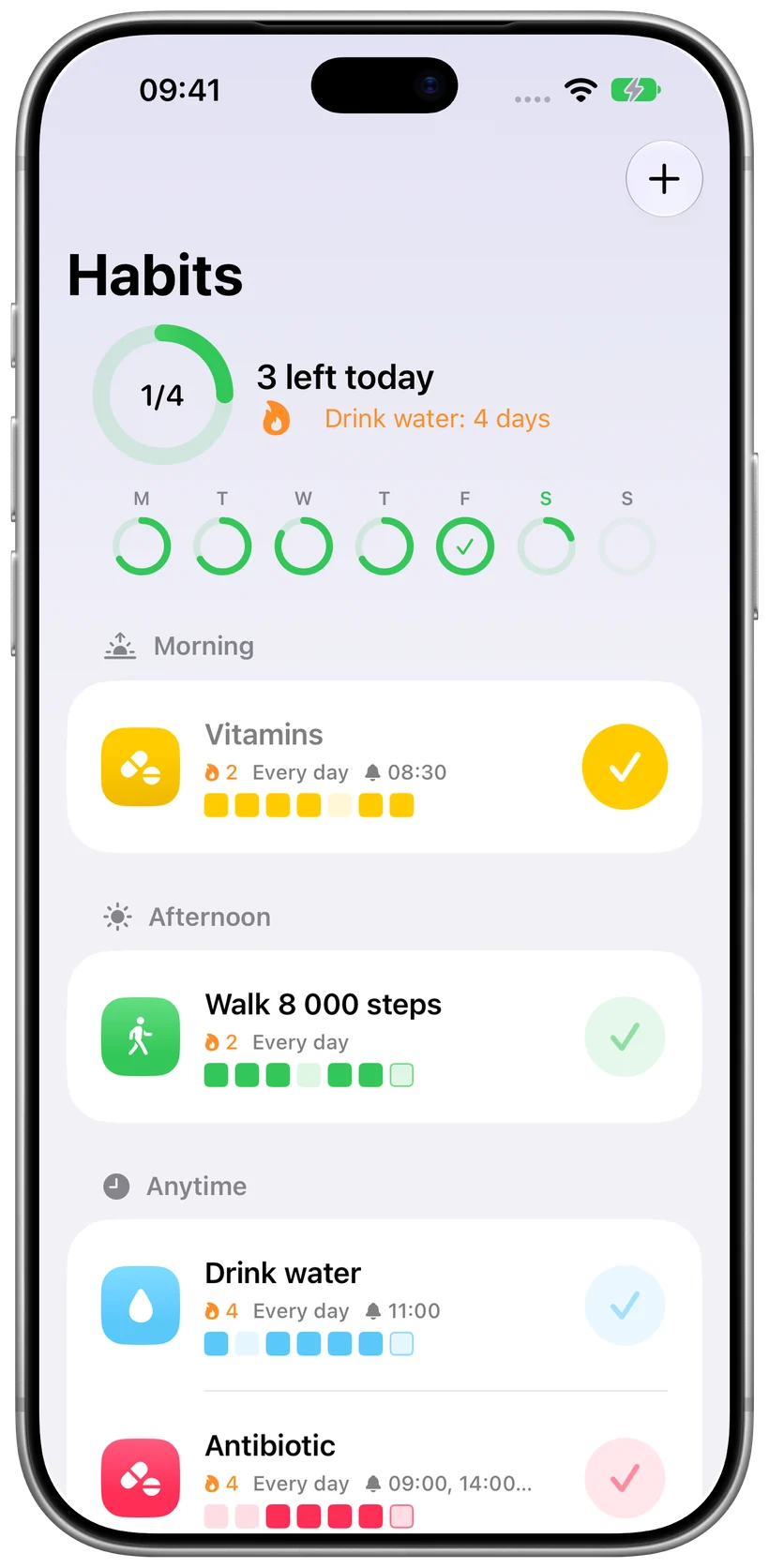
Vitamins, water, the small things.
Habits with streaks and weekly goals, and doses that happen more than once a day. Tick them off from the notification.
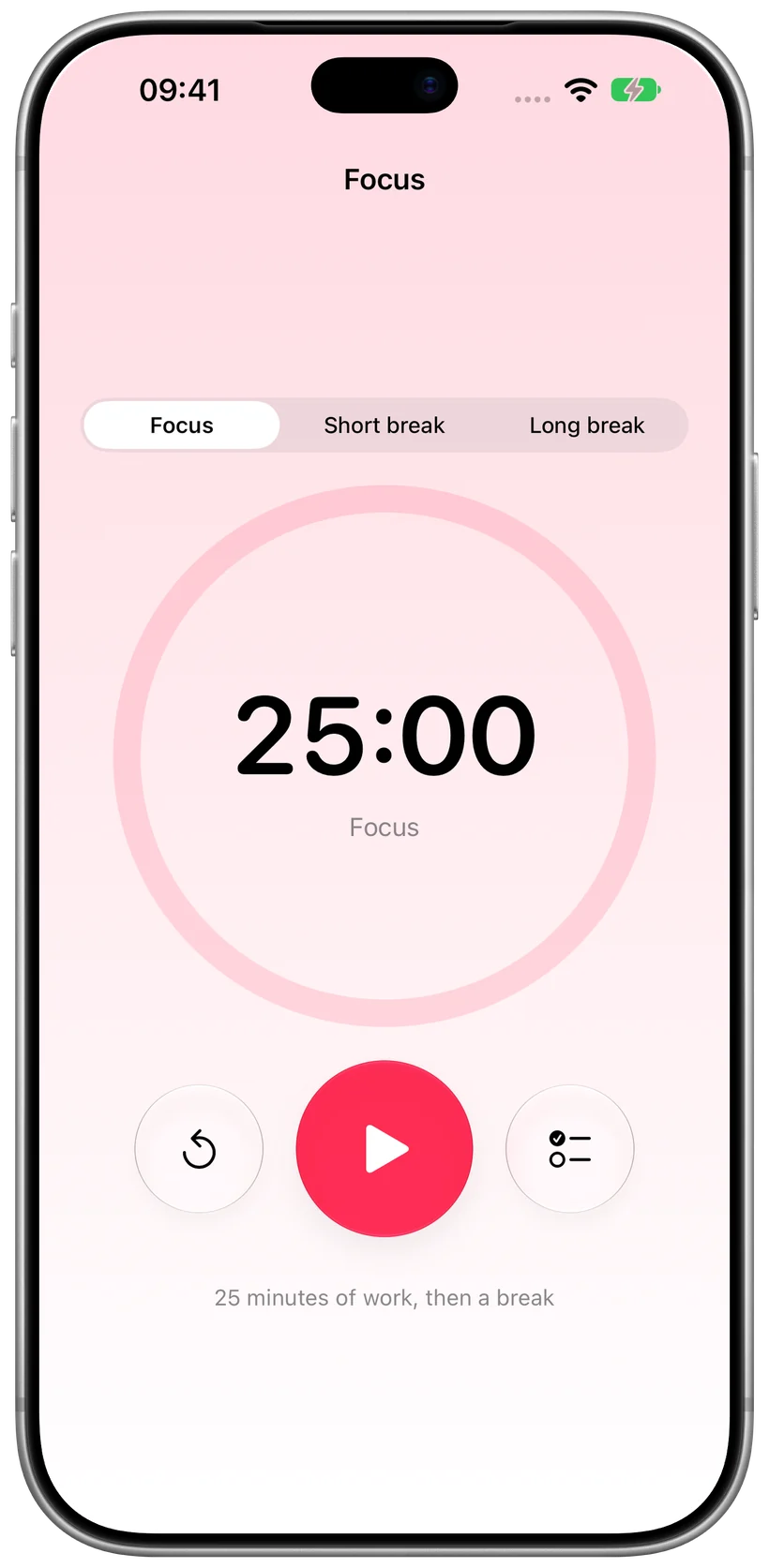
Focus on one thing.
A focus timer that lives in the Dynamic Island and on the Lock Screen. Breaks come by themselves.
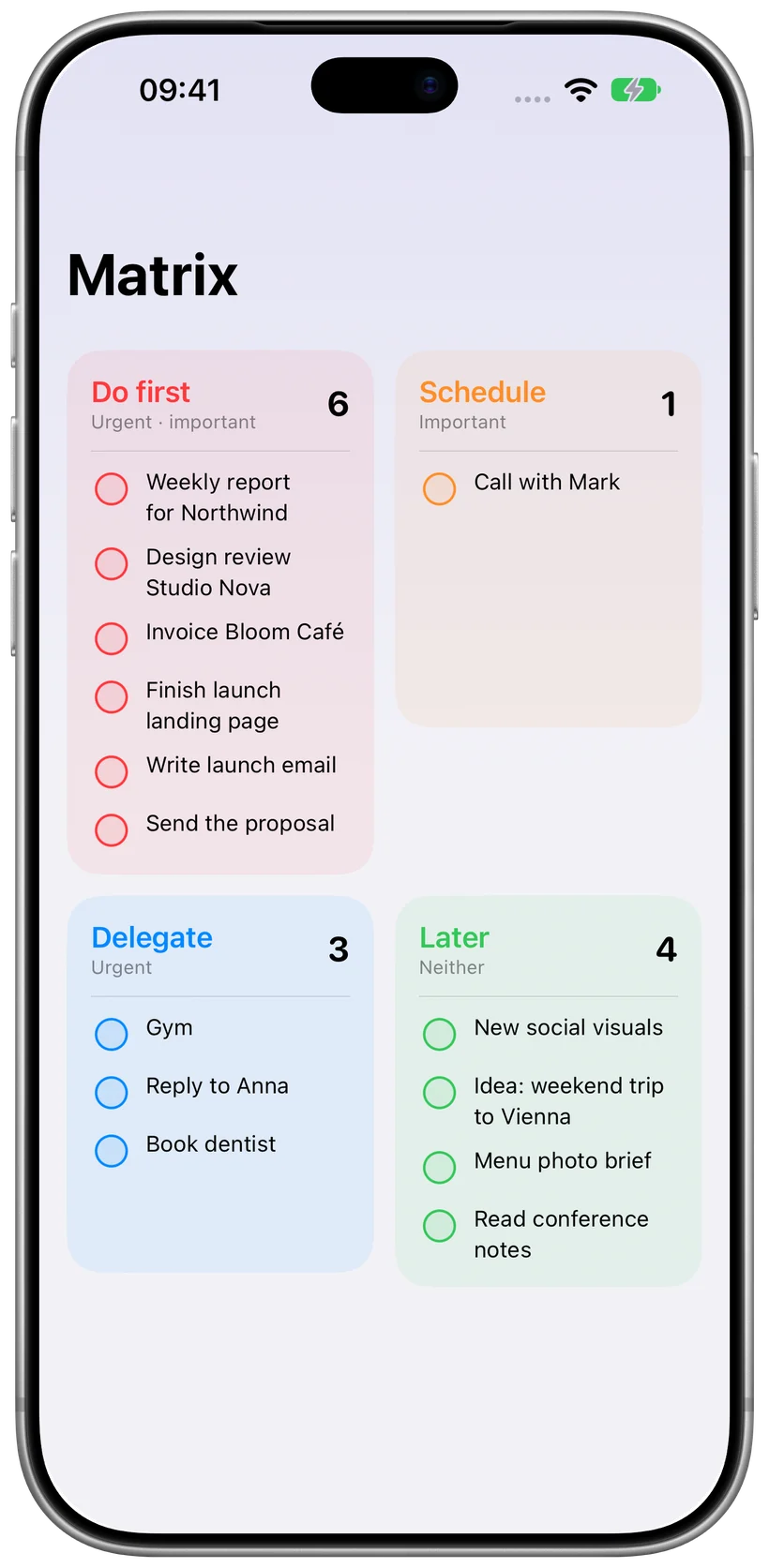
The important before the loud.
The Eisenhower matrix sorts what's open by urgency and priority.
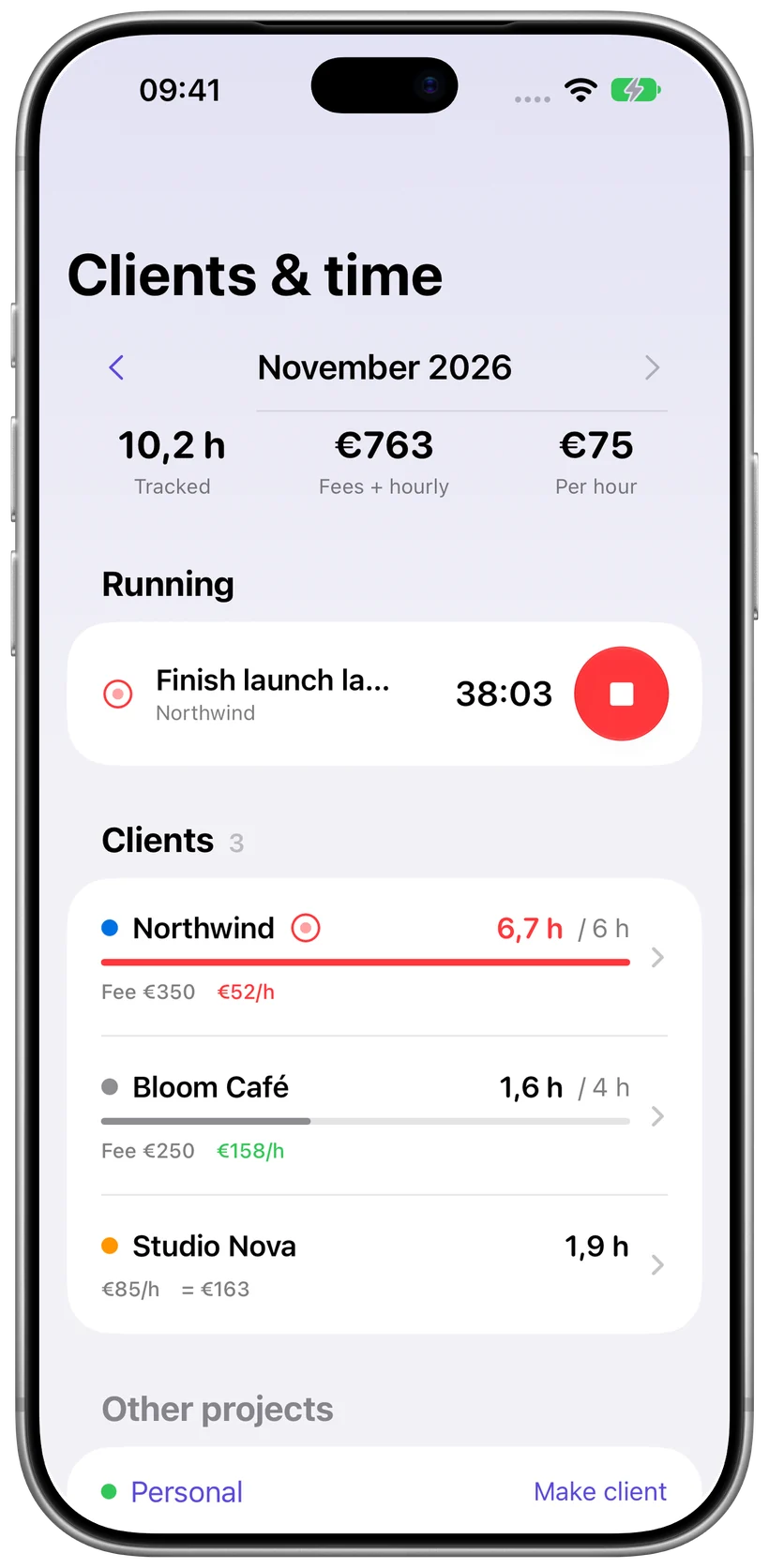
Hours for clients, counted.
A timer per project, an hourly rate or a monthly fee, and a month report you can paste into an invoice.
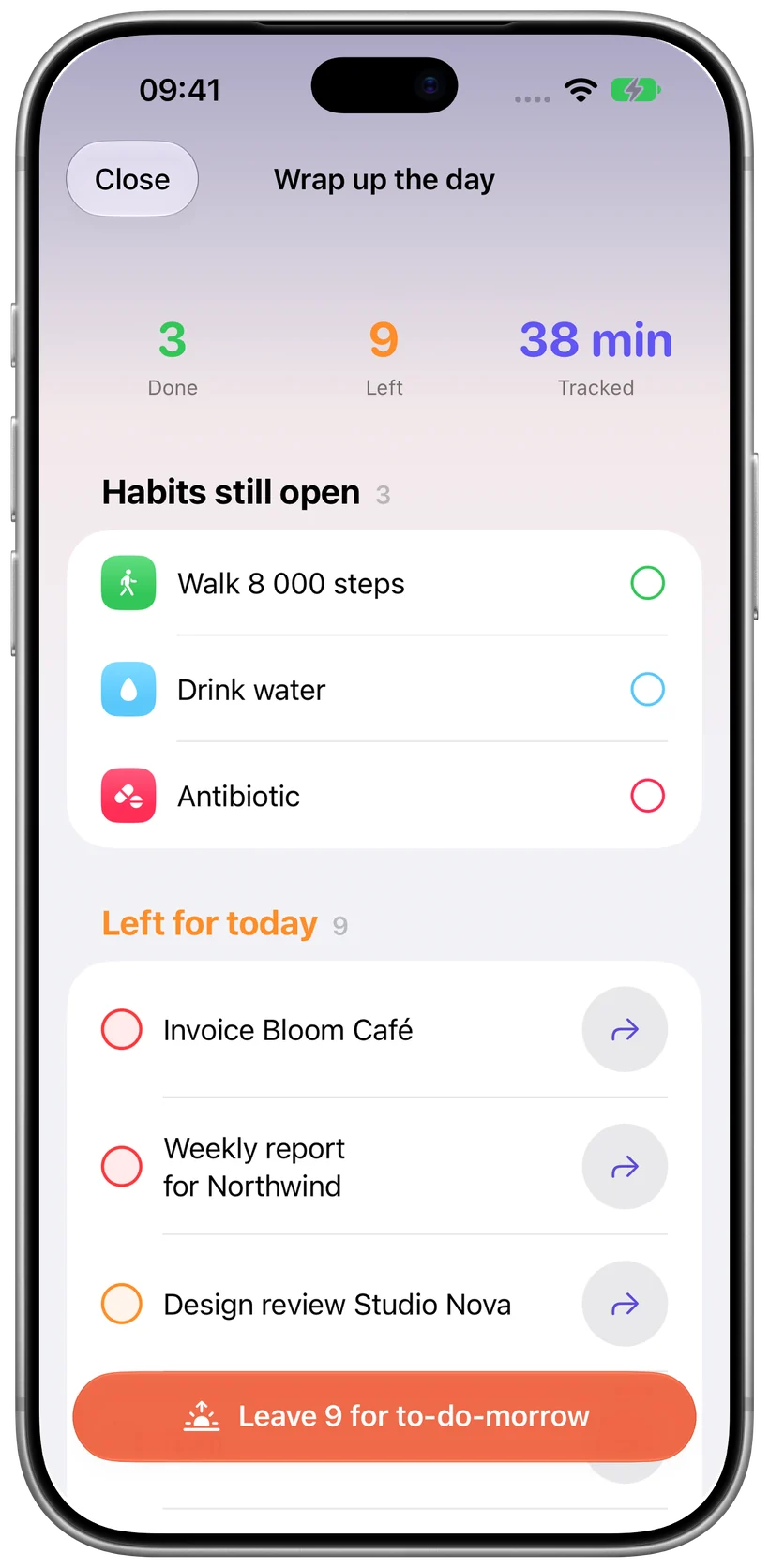
Wrap up. Leave the rest.
See what got done. Whatever is left goes to to‑do‑morrow in one tap.
Not done today? It's not late.
It's to-do-morrow.
Most to-do apps paint what's left red and call it overdue. Here it moves one day on, into the block or routine where it fits.
Today, 21:40
- Invoice Bloom Café
- Weekly report
- Call the dentist
Nothing overdue. Good night.
to-do-morrow
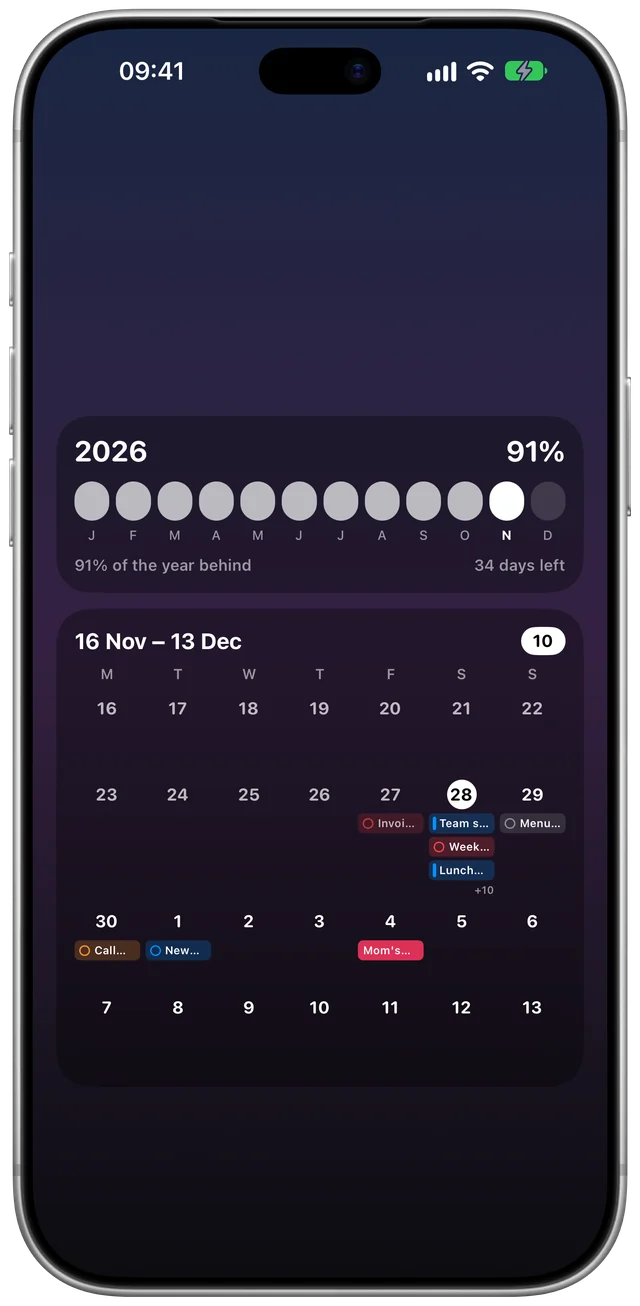
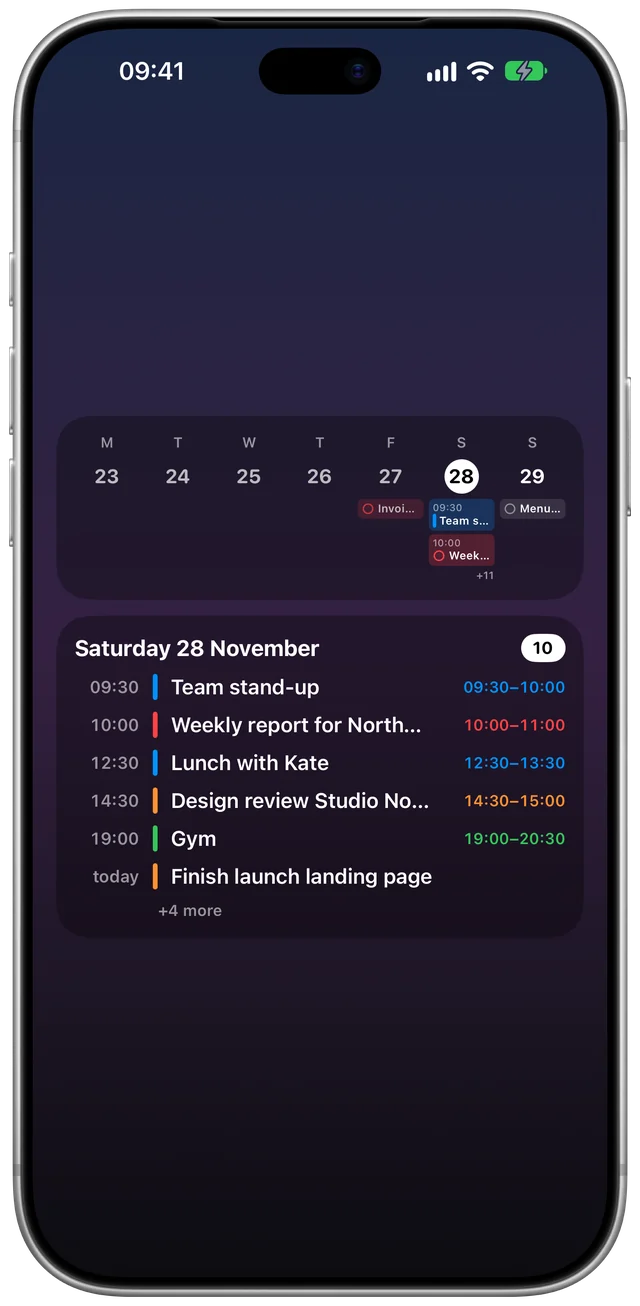
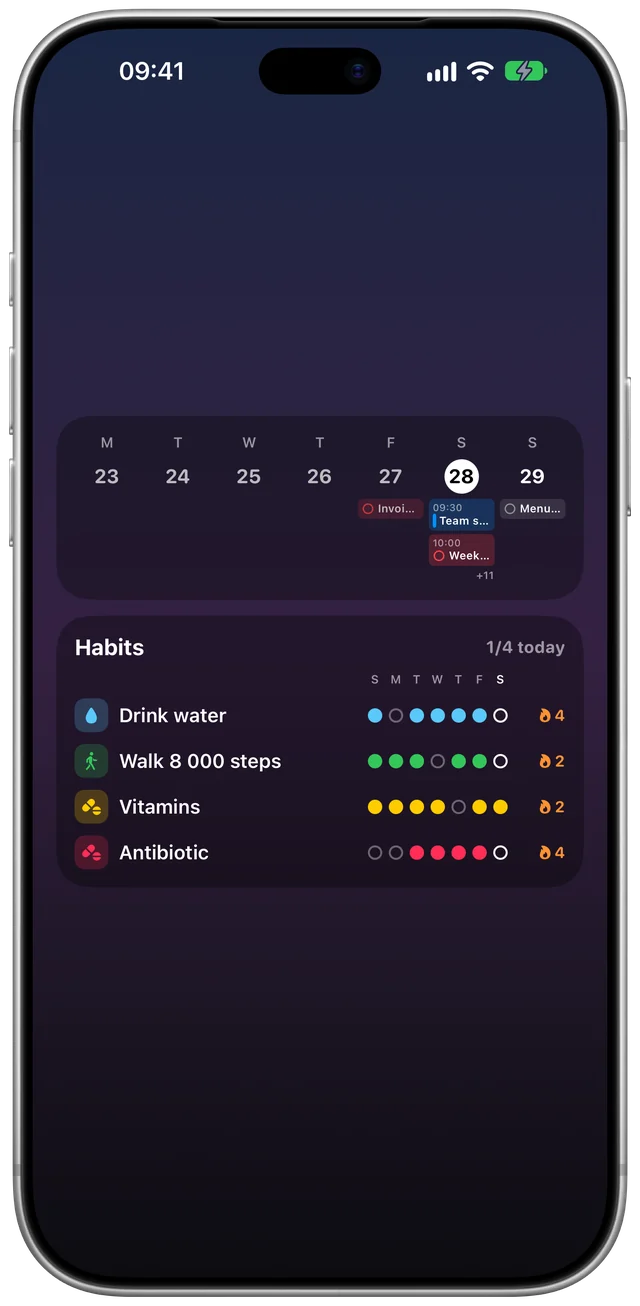
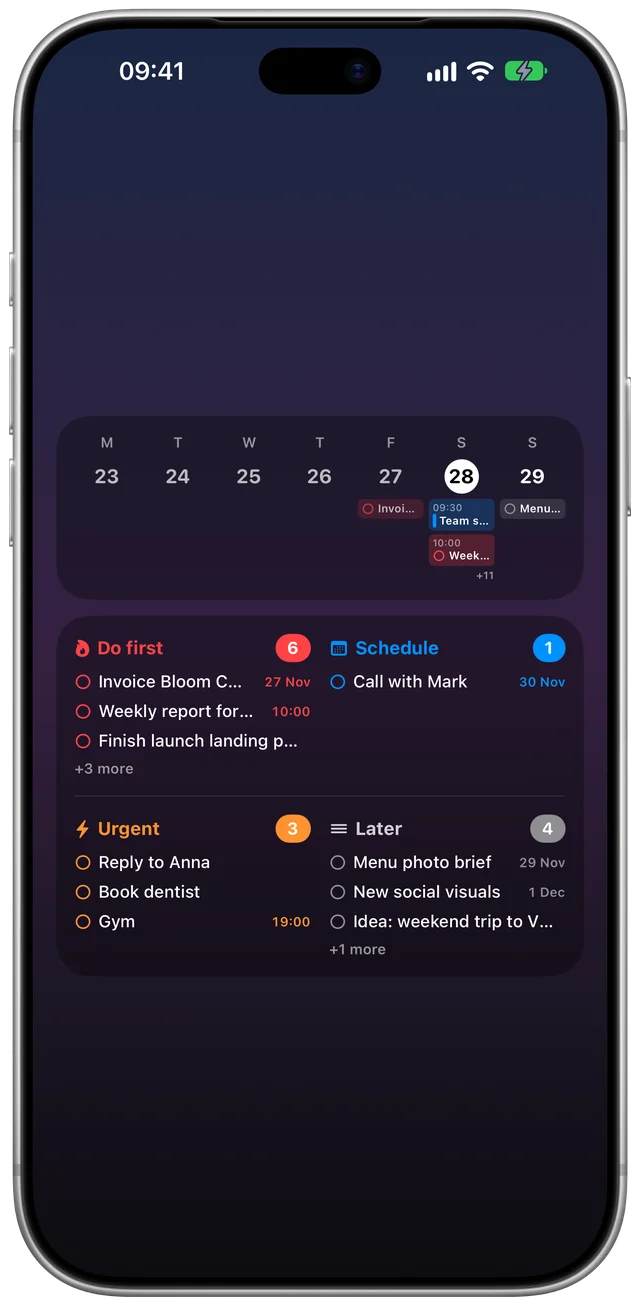
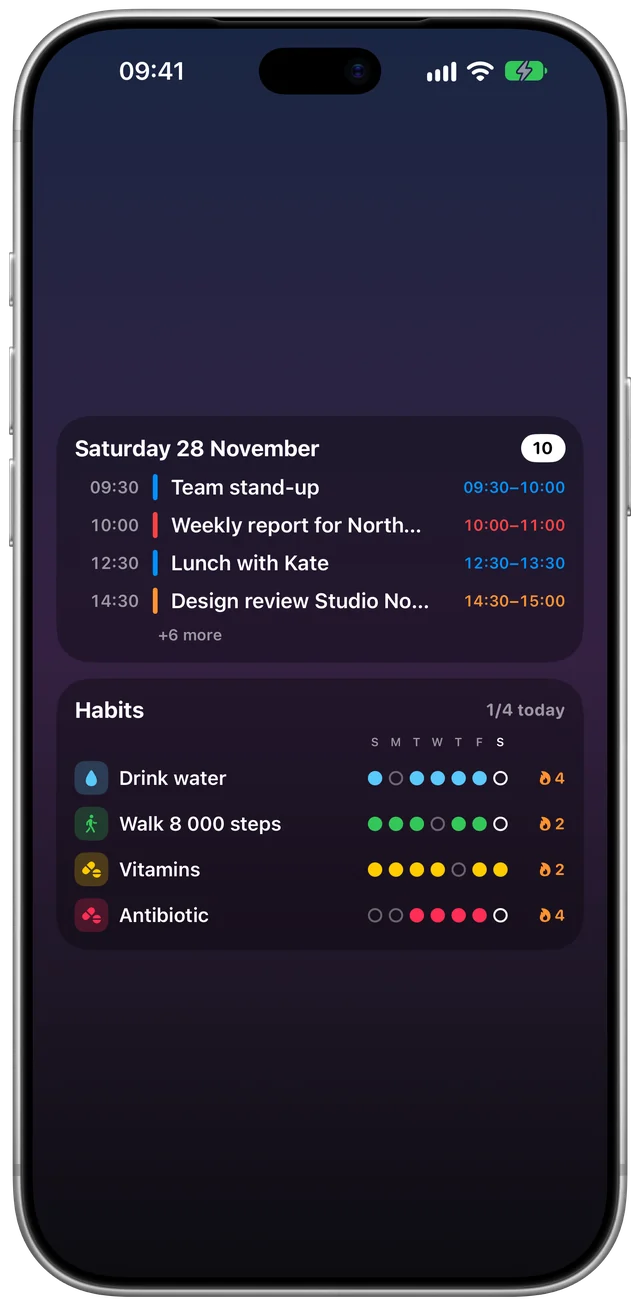
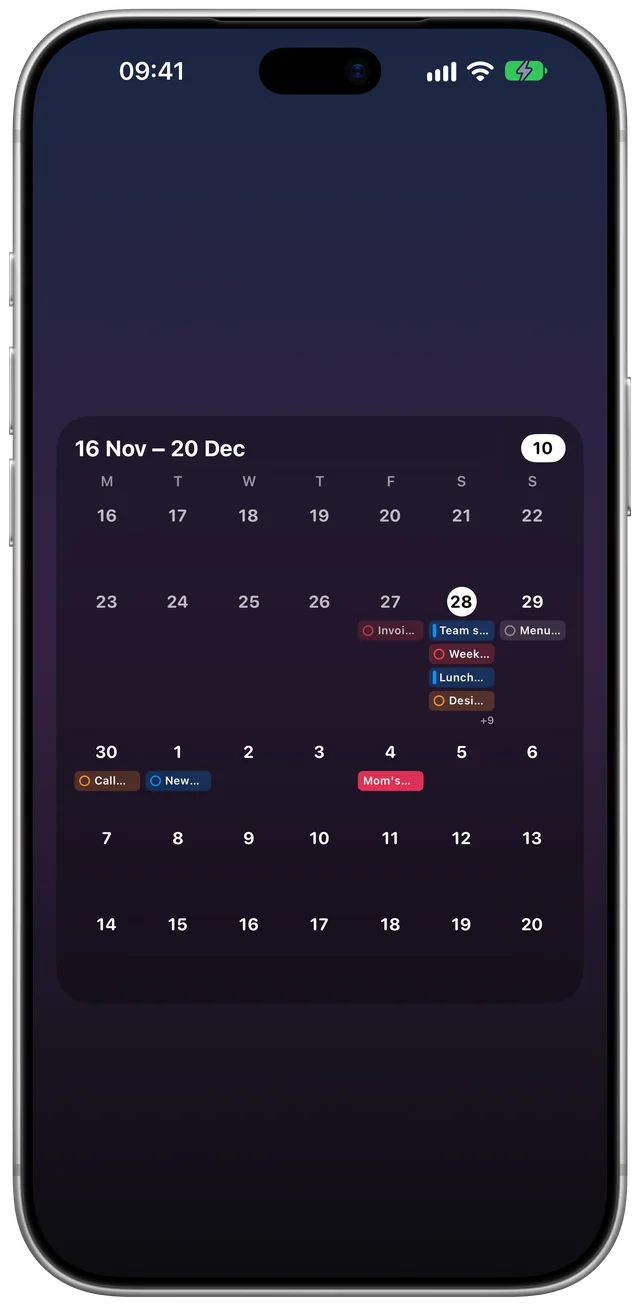
Your plan, before you unlock.
iPhone only allows small widgets on the Lock Screen, so to‑do‑morrow draws the big ones into your wallpaper. A Shortcuts automation keeps it fresh.
And the rest of it.
- Widgets
- On the Home Screen, the Lock Screen and in Control Center. Tick things off without opening the app.
- Apple Watch
- The current block, doses to take, today's tasks. Add one by voice.
- Google Calendar
- Meetings next to your tasks. Type a meeting with a time and it lands in your calendar.
- Repeats
- Every weekday, every two weeks, the last workday of the month. The next one appears when you finish.
- Notes and files
- Photos, files and voice notes on a task. Subtasks and projects for the big things.
No account. No sign‑up.
Your tasks stay on your iPhone.
There are no servers for your data. Google Calendar talks to Google directly. The free version shows ads from Google AdMob; to‑do‑morrow Pro removes them. Privacy policy
Coming soon to the App Store.
Not today. Maybe to‑do‑morrow. It's free to use; questions or ideas before launch? Write to us.